QR Codes for Guest Feedback: Complete Implementation Guide
Learn how to implement QR code guest surveys across hotels, restaurants, spas, and tours. Placement strategies, design tips, and tracking methods.
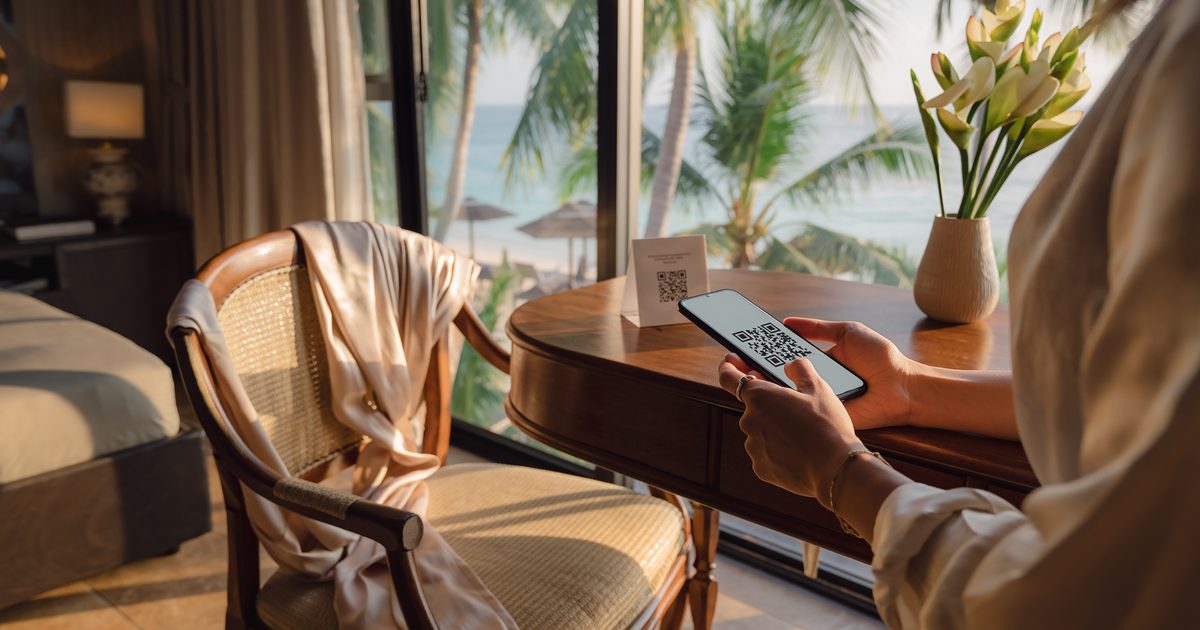
QR codes solved a fundamental problem for hospitality operators: collecting guest feedback without forcing people to download apps, create accounts, or remember passwords. The pandemic accelerated adoption, but the behavior stuck because it’s genuinely easier.
In Thailand and Southeast Asia, the conditions for QR-based feedback are particularly favorable. Mobile internet penetration reaches 91.2% in Thailand as of 2025, with users spending over 5 hours daily on mobile devices. Post-COVID, 75% of restaurants use QR codes for menus, and 70% of hotels have integrated them into guest services. The infrastructure and user habits are already in place.
This guide covers practical implementation: where to place codes, how to design them for maximum scans, what survey length actually gets completed, and how to track what’s working.
Why Mobile-First Matters in SEA
Three factors make QR codes particularly effective in Southeast Asian markets:
Universal smartphone penetration. Thailand has 99.5 million mobile connections for a population of 72 million—139% penetration accounting for tourists and second devices. Indonesia, Vietnam, and Malaysia show similar patterns.
Established QR behavior. Payment apps, restaurant menus, and contact tracing during COVID normalized QR code scanning. According to 2024 data, 78% of Millennials and 68% of Gen Z used QR codes for restaurant menus. The learning curve no longer exists.
Mobile-first internet usage. Over 80% of surveyed users in many Southeast Asian markets complete web interactions on mobile devices. Desktop-optimized feedback forms don’t match how guests actually access the internet.
The alternative—asking international tourists to download a property-specific app—loses 60-80% of potential respondents before they even see the first question. QR codes eliminate that friction entirely.
Placement by Property Type
Response rates vary dramatically based on placement. Industry benchmarks suggest 10-30% response rates for hotel surveys, but that range reflects placement quality more than guest willingness.
Hotels: Strategic Multi-Touch Approach
Hotels benefit from multiple guest touchpoints over a longer stay. Each location serves a different feedback purpose.
| Location | Expected Response Rate | Optimal Survey Focus | Implementation Notes |
|---|---|---|---|
| Guest room (tent card on desk) | 15-20% | Room cleanliness, amenities, comfort | Place where guests naturally sit to check phones |
| Restaurant (table tent) | 20-25% | Food quality, service speed, breakfast timing | Position center-table, visible but not obstructive |
| Pool/gym (waterproof signage) | 10-15% | Facility condition, equipment | Weatherproof materials essential |
| Checkout desk | 25-35% | Overall stay experience | Staff verbal prompt increases rates significantly |
| Elevators | 5-10% | Single question only | Eye-level placement, no more than 1-2 questions |
Room placement specifics: Don’t place codes on nightstands where they compete with phone charging. The desk or table where guests sit with laptops works better. Avoid the bathroom—not where guests want to interact with surveys.
Restaurants: One-Shot Feedback Window
Restaurants face a compressed timeline. The entire experience happens in 60-120 minutes, creating exactly one feedback opportunity.
Table tents remain the primary method. Placement matters: near the table center where guests naturally look, not at the edge where servers bump it or guests push it aside. The QR code should be visible from any seat at the table.
Bill presenters capture feedback during payment. Two-thirds of diners now pay with their phones (mobile payment, banking apps, QR payment systems). They’re already holding their device—make the feedback code visible on the receipt or bill folder.
Takeout packaging extends reach beyond dine-in. A waterproof sticker on delivery containers or a card in takeout bags costs $0.05-0.15 per order and captures feedback from customers who never set foot in the restaurant. Particularly valuable for identifying delivery-specific issues (food temperature, packaging leaks, missing items).
Spas: Timing Around the Treatment Window
Spa guests are in a different mental state than hotel or restaurant patrons. Interrupting relaxation kills the experience being measured.
Pre-treatment areas work for operational feedback: Was booking easy? Were treatment options clearly explained? This feedback helps improve the front-of-house experience without interrupting the service itself.
Post-treatment relaxation areas are the optimal placement. The guest is still in the spa environment, reflecting on the treatment, but hasn’t yet fully transitioned back to their day. A small, elegant card with a QR code placed near tea service or reading materials captures feedback when the experience is fresh.
Avoid treatment rooms unless the code is specifically for therapist-prompted follow-up. Nothing should distract from the treatment itself.
Tours: The Guide Is the Distribution Method
Tour operators face the hardest implementation challenge. Guests are outdoors, in transit, in groups, often without reliable internet. There’s no natural “sit down and complete this” moment.
Vehicle placement as a secondary option. Small signs visible from passenger seats work on longer journeys (2+ hours), especially on return trips when guests are tired but not yet dispersed. Keep the code large enough to scan from a seat.
End-of-tour timing is critical. The guide should explicitly invite feedback before the group disperses: “If you have a minute, I’d appreciate your feedback on today’s tour—just scan this code.” Guests who leave without being prompted won’t return to leave feedback later.
Internet access consideration: Ensure the landing page loads quickly and caches locally. Many tour locations have limited connectivity. If the page requires 30 seconds to load, nobody will wait.
QR Code Design Specifications
Physical Size Requirements
QR codes must be large enough to scan from wherever guests are naturally positioned.
| Placement Context | Minimum Code Size | Scanning Distance | Notes |
|---|---|---|---|
| Close-up (table tents, room cards) | 3cm × 3cm | 10-20cm | Guests hold phone directly over code |
| Standard signage (wall-mounted) | 5cm × 5cm | 30-50cm | Most versatile size for general use |
| Large format (lobby displays) | 8-10cm × 10cm | 1-2 meters | Scanned from standing distance |
| Vehicle/outdoor | 7-10cm × 10cm | 50cm-1m | Account for movement, angles, lighting |
High contrast matters more than size. Black-on-white performs most reliably across different lighting conditions and phone camera quality. Low-contrast designs (gray on white, color on color) fail in bright sunlight or dim restaurant lighting.
Visual Design Principles
Standard vs. branded codes: Plain black-and-white QR codes scan reliably on any device. Branded codes (with logos embedded) can increase perceived legitimacy and scan rates by 10-15%, but only if implemented correctly.
If using branded codes:
- Test thoroughly on multiple phone models before printing hundreds
- Maintain minimum 30% “quiet zone” (empty space around the code)
- Logo should occupy no more than 20-25% of the code area
- Use high-contrast logo designs (simple, bold shapes)
- Order sample prints before bulk orders—what works on screen may not scan when printed
Call-to-Action Language
Generic “scan for feedback” messaging underperforms because it doesn’t answer the guest’s question: “Why should I?”
Generic CTAs (Lower Response)
- "Share your feedback"
- "Rate your experience"
- "Scan here"
- "Take our survey"
Purpose-Driven CTAs (Higher Response)
- "Help us improve your next visit—scan to share your thoughts"
- "Something not right? Tell us now and we'll fix it"
- "30 seconds to make your experience better"
- "Your feedback shapes what we do next"
The stronger phrasing implies action, not just data collection. Guests with concerns need to believe reporting them matters.
Survey Length: What Research Shows
Research on survey completion provides clear guidance:
1-3 questions: 83% average completion rate. Use for high-frequency touchpoints (elevators, quick intercepts) or when asking a single important question.
4-8 questions: 65% average completion rate. The optimal range for most hospitality feedback. Provides enough depth without fatigue.
7+ minutes / 10+ questions: Completion drops notably. Unless offering incentives or surveying loyalty members, longer surveys lose respondents midway.
Mobile-specific considerations: Surveys completed on mobile devices drop off faster than desktop equivalents. Long text entry fields, complex grids, and multi-select questions cause higher abandonment on phones.
Question Type Sequencing
Start with multiple-choice. Research shows surveys opening with multiple-choice questions achieve 89% completion rates; those starting with open-ended text drop to 83%. The lower cognitive load at the start matters.
Save open-ended questions for the end. “What could we improve?” or “Tell us more” work better after guests have answered structured questions. They’re already invested in completing the survey.
Avoid mandatory open-text fields on mobile. Typing on a phone screen is harder than desktop. Make text responses optional, and most guests will still leave comments if they have something specific to say.
Technical Setup
Dynamic vs. Static QR Codes
Static Codes
- Fixed URL encoded directly
- Cannot be changed after printing
- Survey changes require reprinting all materials
- No built-in analytics
- Lower upfront cost
Dynamic Codes (Recommended)
- Short redirect URL, destination changeable
- Update survey without reprinting codes
- A/B test different survey versions
- Track scans by location, device, time
- Slightly higher cost, pays for itself quickly
Dynamic QR codes are worth the minimal additional cost. The first time a property needs to modify a survey question or fix a broken link, the ability to update without reprinting justifies the investment.
Location-Based Tracking
Each placement location should have a unique QR code. This isn’t about aesthetics—it’s about data.
A hotel might deploy separate codes for:
- Standard rooms vs. premium rooms
- Pool area
- Breakfast service
- Dinner service
- Checkout desk
- Lobby
This granularity reveals patterns invisible in aggregated data. If breakfast feedback is consistently negative while room feedback is positive, the kitchen needs attention. If premium room guests report cleanliness issues but standard rooms don’t, the problem is specific to one room category or cleaning team assignment.
URL parameters work well for tracking: yourfeedback.com/survey?location=pool or yourfeedback.com/survey?loc=checkout. Most QR code generators support adding these automatically.
Mobile Optimization Requirements
The page guests land on must work flawlessly on mobile. This isn’t optional—over 80% of survey completions happen on phones.
Load time: Under 3 seconds on 4G connection. Slow-loading pages lose 20-40% of potential respondents before the first question appears.
Touch targets: Minimum 44px height for buttons and radio selections. Smaller targets lead to mis-taps and frustration.
Text size: 16px minimum for body text. Smaller text forces zooming, which increases abandonment.
No horizontal scrolling: Everything must fit the portrait phone screen without side-to-side scrolling. Test on a phone with a 375px width (iPhone SE size) as a minimum baseline.
Single-column layout: Multi-column forms don’t work on mobile. Stack everything vertically.
Test on actual devices: Browser emulation catches layout issues but misses real-world problems like touch accuracy, load time on cellular, and how the survey feels to use. Test on at least three different phone models before deployment.
Common Implementation Failures
Failure 1: Desktop Forms on Mobile Devices
The single biggest cause of survey abandonment: sending mobile users to desktop-formatted pages. Tiny radio buttons, small text requiring zoom, multi-column layouts—all guaranteed to lose respondents.
A restaurant chain rolled out QR feedback codes without mobile optimization. They saw 8% completion rates. After rebuilding the survey with a mobile-first design, completion jumped to 62%. Same questions, same guests—the interface made the difference.
Test every QR code on a phone before any materials are printed or deployed.
Failure 2: Asking Operationally Irrelevant Questions
Every question should have a clear answer to: “What will we do with this information?”
High value: “How would you rate breakfast service speed?” (Actionable: adjust kitchen staffing or prep timing)
Low value: “How did you hear about our hotel?” (Interesting for marketing, but doesn’t impact the current stay)
No value: “What’s your favorite color?” (Unless running an interior design survey, this doesn’t inform operations)
In-moment QR surveys should focus exclusively on things that can be addressed immediately or improved for future guests. Save demographic and marketing questions for post-stay email surveys where length matters less.
Failure 3: Collecting Without Responding
Guests who report problems and receive no acknowledgment become actively dissatisfied. Research on service recovery shows unresolved complaints decrease satisfaction more than the original problem.
A spa implemented QR feedback but didn’t establish alert routing. Three guests reported cold treatment rooms over two weeks. Nobody responded. All three left negative online reviews mentioning “reported the issue but nothing was done.” The lack of response did more damage than the original temperature problem.
Establish the response workflow before collecting the first piece of feedback.
Failure 4: No Analytics Review
QR codes generate data: scan rates by location, completion rates by device type, time-of-day patterns, common complaint themes. If nobody reviews this data monthly, opportunities for optimization disappear.
Track:
- Which locations have the highest scan rates? (Do more of that)
- Which have the lowest? (Improve visibility or move the code)
- Where does negative feedback concentrate? (Direct operational attention there)
- What time of day generates most responses? (Adjust staff prompt timing)
Data without analysis is just storage cost.
Measuring Success
Response Rate Calculation
Calculate by location: (scans) ÷ (estimated guest exposure) = response rate
“Estimated guest exposure” varies by location:
- Guest rooms: Number of rooms occupied that day
- Restaurant table tents: Number of tables served
- Checkout desk: Number of guests checked out
- Pool area: Estimate based on occupancy and facility usage patterns
| Response Rate | Assessment | Action |
|---|---|---|
| 25-35% | Excellent (staff-prompted) | Document what’s working, train other staff |
| 15-25% | Good (passive signage) | Test adding verbal prompts |
| 10-15% | Acceptable (low-visibility locations) | Consider moving to higher-traffic area |
| Below 10% | Investigate issues | Check visibility, CTA wording, technical problems |
Completion Rate Tracking
Calculate: (completed surveys) ÷ (started surveys) = completion rate
This metric measures survey quality, not placement quality.
- 80%+ completion: Survey length and question design are working well
- 65-80% completion: Acceptable, but review mid-survey drop-off points
- Below 65%: Survey is too long, confusing, or has technical issues
If completion rates are low, identify where people abandon. Most survey platforms show drop-off by question. If 40% of respondents quit at question 6, that question needs revision or removal.
Quality Metrics
Comment rate: What percentage leave open-ended feedback? Below 20% suggests questions aren’t prompting thoughtful engagement. Above 40% indicates guests have things to say—questions are hitting relevant topics.
Specific vs. vague feedback: Track what portion of comments provide actionable detail (“Breakfast service was slow—waited 15 minutes for coffee”) versus generic reactions (“Did not like it”). High specificity indicates well-designed questions.
Response-to-action rate: Of feedback that triggers alerts (complaints, low scores), what percentage results in documented follow-up? Target 95%+. If staff ignore most alerts, the system loses credibility.
4-Week Implementation Plan
Week 1: Audit & Design
Map all guest touchpoints. Select 3-5 highest-potential locations based on traffic and natural phone usage. Draft survey (5-7 questions maximum). Choose dynamic QR code generator with location tracking. Design materials with strong CTAs.
Week 2: Build & Test
Generate unique codes per location with tracking parameters. Create landing page with mobile-first design. Test on 5 different phone models—scan codes, complete surveys, check load times. Order small batch of printed materials (10-20 units) for field testing.
Week 3: Pilot & Train
Deploy codes in 2-3 test locations. Train frontline staff on why it matters and how to prompt guests. Establish alert routing for negative feedback. Set up analytics dashboard. Monitor closely for technical issues.
Week 4: Analyze & Expand
Review scan rates by location. Check completion rates and drop-off points. Interview staff about guest reactions. Fix identified issues. Plan full rollout to remaining locations based on pilot learnings.
Ready to implement QR feedback? GuestMetrix generates location-tracked QR codes automatically, routes feedback to the right staff in real-time, and provides analytics dashboards to measure what’s working. Start your free 60-day pilot and see how systematic feedback collection transforms guest satisfaction.
Frequently Asked Questions
What's the minimum QR code size for reliable scanning?
How many questions should a QR survey include?
Static or dynamic QR codes?
What response rates should we expect?
How do we prevent fake or spam responses?
Should we offer incentives for completing surveys?
Related Articles
- The State of Thailand Hospitality: Challenges and Solutions for 2025 - Market context for digital feedback adoption
- How to Prevent Bad Hotel Reviews Before They’re Posted - Converting QR feedback into review prevention
- NPS, CSAT, and CES Explained: Which Hospitality Metric Should You Use? - Choosing the right metrics for QR surveys
Sources
This article references research and statistics from:
- Digital 2025: Thailand — DataReportal - Thailand mobile and internet usage statistics
- QR Code Statistics for 2025 — QRCodeChimp - QR code adoption in hospitality post-COVID
- How to Get Survey Completion Rate of Over 80% — Survicate - Survey completion rate research and benchmarks
- Survey Response Rate Benchmarks — SurveySparrow - Industry response rate standards
- Hotel Guest Satisfaction Surveys: A Complete Guide — Customer Alliance - Hotel survey response rate benchmarks
Tags
Ready to improve guest satisfaction?
Start your free 60-day pilot program today. No credit card required.